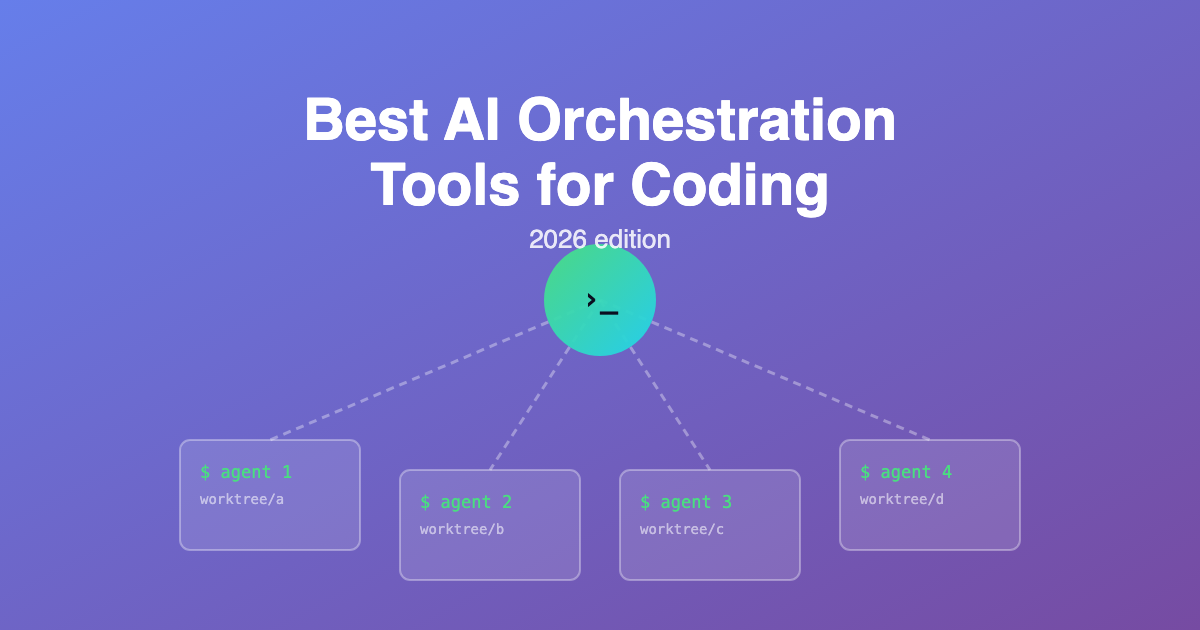
AI orchestration for coding means running several coding agents at once and coordinating their work. Each agent gets a task, an isolated copy of the repository, and its own branch. Something on top assigns the work and shows you what every agent is doing.
The problem this solves is specific. Two agents editing the same working directory overwrite each other's changes. Git worktrees fix that by giving each agent its own directory and branch on top of one shared .git database. Every tool on this list is built around that idea, or gives you a way to skip it.
This list is coding-only. General agent platforms for marketing and enterprise workflows are covered in our multi-agent orchestration apps comparison. Here the question is narrower: what should you install to run more than one coding agent on your own repository?
The three tiers
Built in: your agent already coordinates sub-tasks (Claude Code subagents and Agent Teams). No install, no worktrees, lowest ceiling.
Dedicated orchestrators: apps that run many agent sessions in isolated worktrees and give you one review surface (Crystl, Conductor, Nimbalyst, Vibe Kanban, Composio AO).
Frameworks: libraries you write orchestration logic with, for pipelines that run in CI rather than on your desk (LangGraph).
1 Crystl
Best for: Developers who live in the terminal and run several CLI agents at once
Crystl is a native macOS terminal built for multiple agents rather than adapted to them. It runs any CLI agent, with tuned support for Claude Code and Codex. If you have lost track of what three agents were doing across a dozen tabs, this is the category of tool that fixes it.
Work is organised into Gems and Shards. A Gem is a project. A Shard is an isolated terminal session, and an isolated Shard gets its own git worktree and branch, so several agents can work the same repository without collisions. Agents can spawn their own workers and message each other through the CLI, which means an agent can orchestrate other agents instead of you doing the dispatching by hand.
- Isolated shards: a git worktree and branch per agent session, merged back when the work is reviewed
- Agent-callable CLI: agents create sessions, read other sessions' screens, and send each other work
- Action panels: approvals and alerts from every agent collected in one place, so a blocked agent does not sit silent
- Quest and hero profiles: named specialist personas that coordinate in a shared chat while working in parallel
- Token and cost tracking across every session, plus a live agent activity view
- Remote SSH and iPhone control: full feature set over SSH, and tool approvals from your phone
Pricing: Free Apprentice tier includes isolated shards, parallel sessions, approval panels, token tracking, MCP servers, and SSH. Crystl Guild is $170/year or $18/month and adds agent-run orchestration, the full agent CLI, custom heroes, unlimited scheduling, and up to three devices.
2 Claude Code Subagents and Agent Teams
Best for: Anyone who wants parallel agents without installing anything
Before you add a tool, use what ships in the box. Subagents run inside one session, do a scoped job, and report a result back. They are defined by a small file in .claude/agents/ with their own prompt, model, and tool permissions. They are the cheapest form of parallelism because only the result re-enters your main context.
Agent Teams goes further. One session becomes the team lead and coordinates independent teammate sessions through a shared task list, with each teammate holding its own context window. It is experimental and off by default. Subagents cover most needs; reach for teams when the agents need to challenge each other rather than just return work.
- Subagents: reusable YAML definitions, scoped tools, token-efficient fan-out
- Agent Teams: a lead session coordinating teammates via a shared task list
- No worktree isolation: teammates share a working directory, so keep their file ownership separate
Pricing: Included with any Claude Code plan. You pay only for tokens, and parallel sessions burn them faster than a single session.
3 Conductor
Best for: Mac developers who want a free, polished worktree dashboard
Conductor is a macOS app that runs Claude Code and Codex agents in parallel workspaces, with git worktrees underneath. The strength is the review side: a diff-first interface that treats reading agent output as the main job rather than an afterthought.
It is free and Y Combinator backed, with a $22M Series A behind it. That funding matters in a category where several tools have already shut down. Note the name collision: Microsoft ships a separate CLI product also called Conductor (see #7).
- Workspace per agent with git worktree isolation handled for you
- Diff-first review UI for judging what each agent produced
- Claude Code and Codex support in the same window
- macOS only, with no Linux or Windows build
Pricing: Free. You bring your own agent subscription or API key.
4 Nimbalyst
Best for: Developers who want an open-source, local-first workspace
Nimbalyst is an open-source visual workspace that runs Claude Code and Codex side by side through pluggable agent harnesses. It picked up where the discontinued Crystal project stopped, and adds interactive visual editing on top of parallel session management.
Local-first is the selling point. Sessions run on your machine, against your existing agent subscription, with no cloud service in the path. If you are wary of building a workflow on a startup that may fold, the open-source licence is the hedge.
- Open source and local-first: no remote service required
- Pluggable harnesses so new CLI agents can be added
- Parallel session management with visual editing of in-flight work
- Free for individuals, with a paid tier for team collaboration
Pricing: Free for individuals. Paid team tier for collaboration features.
5 Vibe Kanban
Best for: Teams who think in tickets and use many different CLI agents
Vibe Kanban puts a planning and review board in front of your agents. You write tasks as cards, assign each to an agent in its own workspace, and review the result before merging. Agent support is the broadest on this list: Claude Code, Codex, Gemini CLI, Copilot CLI, Amp, Cursor, OpenCode, Droid, Aider, and Qwen among others.
Read the history before you commit to it. Bloop, the company behind Vibe Kanban, announced on 10 April 2026 that it was shutting down after failing to find a business model. The project is now Apache 2.0 and community maintained, and the hosted services were replaced by a fully local architecture. Development continues, but no company stands behind it.
- Kanban board interface mapping tasks to agent workspaces
- 10+ CLI agents supported, more than any competitor here
- Apache 2.0 and community maintained after the Bloop shutdown
- Fully local: the remote services were removed, not replaced
Pricing: Free and open source. The paid cloud product was sunset.
Watch the churn
This category is two years old and consolidating fast. Crystal was discontinued, Bloop shut down, and new orchestrators appear monthly. Prefer tools that are open source or funded, keep your work in ordinary git branches, and avoid anything that stores task state where you cannot export it.
6 Composio Agent Orchestrator
Best for: Running an unattended fleet that opens pull requests
Agent Orchestrator is the most automation-heavy option here. Agents run in isolated worktrees, each producing its own pull request, supervised from one control surface. Instead of watching agents work, you queue tasks and review PRs.
Full automation suits well-specified, repetitive work such as dependency bumps, test coverage, or a mechanical migration across many files. It suits ambiguous feature work badly, because the first place you can correct a wrong approach is after the PR exists.
- Fleet execution: many agents running unattended in parallel
- One PR per agent, so review happens in the tools you already have
- Worktree isolation per agent by default
- Open source and scriptable rather than a desktop app
Pricing: Open source. Costs are whatever your agent API usage costs.
7 Microsoft Conductor
Best for: GitHub Copilot teams who want workflows in version control
Microsoft Conductor is a CLI for defining and running multi-agent workflows against the GitHub Copilot SDK and Claude. Workflows are YAML files, so they live in the repository, get reviewed like code, and run the same way for everyone on the team. A web dashboard shows runs in progress.
Declarative workflows are the differentiator. The desktop orchestrators above are interactive: you drive them. Conductor is repeatable: you define a pipeline once and run it on demand or in CI.
- YAML-defined workflows committed alongside your code
- Copilot SDK and Claude as execution backends
- Web dashboard for monitoring runs
- CLI-first, so it fits CI as well as a laptop
Pricing: Open source. You pay for the underlying Copilot or Claude usage.
8 dmux and workmux
Best for: Terminal purists who want the thinnest possible layer
dmux is a tmux pane manager for coding agents. Press a key, type a prompt, pick an agent, and it creates the pane, the git worktree, and the branch. A pane menu merges the branch back or opens a GitHub pull request when the task is done. It supports eleven agents, including Claude Code, Codex, OpenCode, Gemini CLI, Cursor CLI, and Copilot CLI.
workmux is the same idea with a smaller surface: git worktrees and tmux windows for parallel work, agent-agnostic. The appeal of both is that nothing is hidden. You keep your tmux configuration, keybindings, and SSH sessions, and add worktree management on top.
- tmux-native: works over SSH and inside your existing setup
- Worktree and branch per pane, created and cleaned up for you
- Merge or open a PR from the pane menu in dmux
- Eleven agents supported in dmux; workmux stays agent-agnostic
Pricing: Free and open source.
9 LangGraph
Best for: Teams building their own coding pipeline rather than using one
LangGraph is a framework, not an orchestrator. You define agents as nodes in a directed graph with explicit state, and you write the coordination logic yourself. Nothing about it is coding-specific, which is the point: it is what you use when your workflow does not match any product on this list.
Reach for it when orchestration has to run somewhere other than a developer's machine. Automated triage that reads an issue, reproduces the bug, writes a fix, and runs the tests is a graph with cycles and checkpoints. That is a program, not a terminal window.
- Graph architecture with cycles, branching, and explicit state
- Checkpointing for long-running or resumable workflows
- LangSmith integration for tracing why a run went wrong
- You write the git handling: no worktree isolation comes for free
Pricing: Free developer tier with 100,000 node executions per month. Paid Plus and Enterprise tiers above that.
Quick Comparison
| Tool | Type | Worktree isolation | Price |
|---|---|---|---|
| Crystl | macOS terminal | Yes | Free / $170 yr |
| Claude Code built-ins | Agent feature | No | Included |
| Conductor | macOS app | Yes | Free |
| Nimbalyst | Open-source app | Yes | Free / paid teams |
| Vibe Kanban | Open-source board | Yes | Free |
| Composio AO | Automation fleet | Yes | Free |
| Microsoft Conductor | Workflow CLI | Per workflow | Free |
| dmux / workmux | tmux layer | Yes | Free |
| LangGraph | Framework | You build it | Free tier |
How to Choose
- You have never run two agents at once: start with Claude Code subagents. Add a tool when you hit their limits, not before.
- You live in the terminal: Crystl keeps everything in one window, and its agent-callable CLI lets an agent dispatch other agents.
- You want a free GUI on a Mac: Conductor, with Nimbalyst as the open-source alternative.
- You mix agents from several vendors: Vibe Kanban supports the widest range.
- You want work done unattended: Composio Agent Orchestrator and review the pull requests.
- You need repeatable pipelines in CI: Microsoft Conductor for YAML workflows, LangGraph when you need real code.
Frequently Asked Questions
How many coding agents can I actually run at once?
Three to five is the practical limit for most developers. The constraint is not compute, it is review. Past five agents you spend more time reading diffs than you saved on writing them.
Do I still need to review agent output?
Yes, and orchestration makes it more important. Parallel agents produce parallel mistakes, and a bad approach caught in a diff is cheap compared to one merged into main.
Will these tools work with agents other than Claude Code?
Most do. Codex is supported almost everywhere, and Vibe Kanban covers ten or more CLI agents. Check support before you commit, because agent-specific tuning varies a lot between tools.
Is orchestration worth it for a solo developer?
It is worth it when your work splits into independent pieces. A bug fix, a test suite, and a documentation pass can run at the same time. Three agents editing the same feature will just create conflicts for you to resolve.
Your Next Steps
Pick one tool and give it three independent tasks this week. Independent is the key word: separate files, separate concerns, no shared state. That single test tells you more about whether parallel agents suit your work than any comparison table.
Then measure the part nobody advertises. Count the time you spend reviewing. If review swallows what parallelism saved, run fewer agents on better-specified tasks. Orchestration multiplies output, and output still has to be read.
Build Your Online Presence
While your agents handle the code, make sure your site looks the part with custom icons and buttons.
Create Free Icons Read More Articles